How to Remember Everything You Read Online
You read a lot online, and you forget most of it. If you want to remember what you read online, the honest problem isn’t your memory, it’s that the good stuff disappears the moment you close the tab. A month later you know you read something useful, but not where, or what it was called.
Here’s why the usual advice doesn’t stick, and a lower-effort way to actually keep and find what you read.
Why bookmarks and notes don’t solve it
The standard advice is to bookmark things or take notes. Both fail for the same reason: friction. You have to stop, decide something is worth saving, and file it. So you save the occasional article and lose the other ninety percent, including the pieces you didn’t realize you’d need later. Bookmarks also just store a link, not the content, so you still can’t search for what a page actually said.
The shift: capture passively, recall by meaning
The idea behind a good “second brain” is that it should fill itself. Instead of deciding what to save, you capture everything you read automatically, and lean on search to pull the right thing back when you need it. The recall part matters just as much: you rarely remember a title, you remember the idea. So search has to work on meaning, not exact words.
Turn your browsing into a searchable memory
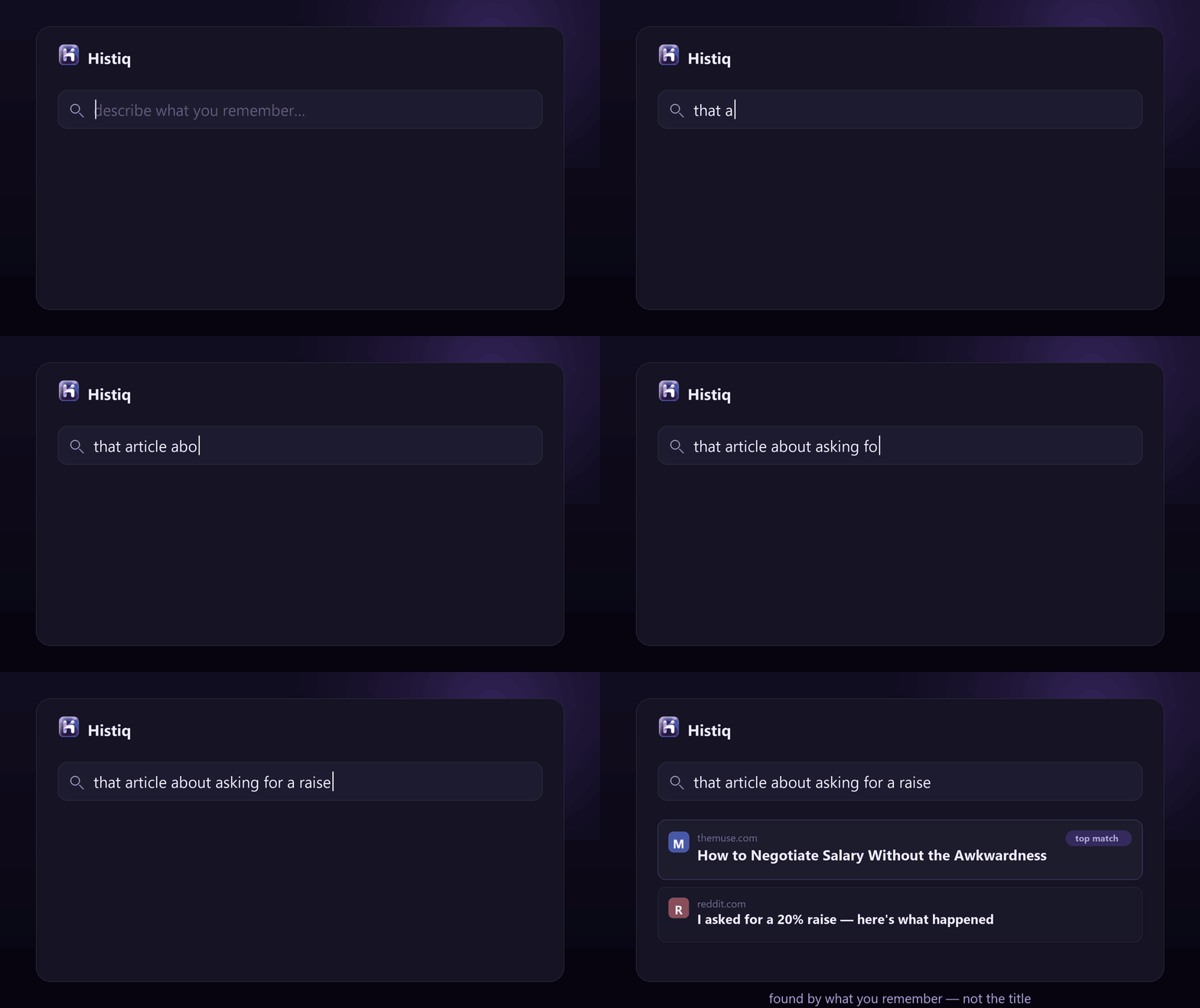
This is what Histiq is built for. As you browse, it quietly indexes the full text of the pages and PDFs you read, with no saving, filing, or tagging on your part. Later you describe what you remember — “that article about focus in open offices” — and it finds the page, even if none of those words were in the title.
It tries exact keywords first, then falls back to semantic search using a small model that runs on your device. So it works like your own memory: you bring a vague description, it returns the specific page. (More on that in semantic search vs keyword search.)
And because a record of everything you read is sensitive, it stays entirely on your device: no cloud, no account, nothing uploaded. You can confirm that in DevTools › Network.
How to remember what you read online: the short version
- You forget most of what you read because saving it takes effort, so you don’t.
- Bookmarks store links, not content, and notes only capture what you chose to save.
- Capture everything automatically and recall it by meaning — that’s a memory that actually works.
Want a memory of everything you read? Start a 14-day free trial of Histiq — it indexes the pages and PDFs you read automatically, on your device, and lets you search them by meaning.
Install Histiq for Chrome & Edge →